Read this carefully before installation
The distributives for for Helium Rough and Pacor Client are available now.
Main program and main components that are not recommended to be edited by user and can be edited only by Lexus/OctoNus will be unpacked to system folder:
- for Pacor Client:
C:\Program Files (x86)\OctoNus Software\Pacor Client 6
- for Helium Rough:
C:\Program Files\OctoNus Software\HeliumRough 6
Components which are open for user edit will be unpacked to data folder:
- for Pacor Client
%ProgramData%\OctoNus Software\PacorClient
- for Helium Rough
%ProgramData%\OctoNus Software\HeliumRough
usually %ProgramData% is C:\ProgramData\...
In this folder PacorBatLocal.ini or HeliumBatLocal.ini could be written load of any user appraisers, pricelists, reports.
Reports and cuttings will be loaded from folders Cuttings and Report both from system folder and from data folder.
For Helium Rough for upgrade from previous version to new one it is necessary to copy (this should be only once and will not be required ion future versions):
- HeliumSystem.bin to data folder %ProgramData%\Octonus Software\HeliumRough
- HeliumStart.mmd to data folder %ProgramData%\Octonus Software\HeliumRough
- HeliumDrivers.ini to data folder %ProgramData%\Octonus Software\HeliumRough
- files _Zoom3.bmp and _GridZoom3.bmp to subfolder System of data folder %ProgramData%\Octonus Software\Helium Rough 6\System
If there were tuned other modes, like half-resolution mode or others, then it is necessary to copy others files like _Zoom...bmp or _GridZoom...bmp
If client used non-standard reports or cuttings then it is necessary to put them in data folder.
If client used non-standard pricelists and appraisers then it is necessary to put them in data folder and write their load in HeliumBatLocal.ini, located in data folder.
There are two files since this version - HeliumBat.ini in system folder and HeliumBatLocal.ini in data folder. File HeliumBat.ini is prohibited to edit, but in file HeliumBatLocal.ini it is required to move all non-standard, customized for each client, settings which were in HeliumBat.ini before. As usual, it is CopyCutting, LoadCCFAppraiser, LoadParsAppraiser, LoadExternalGrading for custom cuttings, appraisers and pricelists.













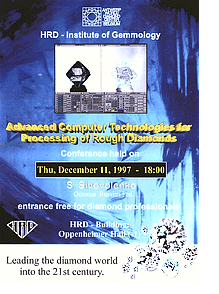 Lecture by S.Sivovolenko in HRD
December 11, 1997
Lecture by S.Sivovolenko in HRD
December 11, 1997


