 |
- Where to find the GemAdviser application?
- How to open a file?
- How to switch between different presentation modes?
- Photo-realistic virtual images of the stone and a movie
- Different lighting models for photo-realistic images and movies
- Cut Quality
- Short information about the stone
How to switch between different presentation modes?
The GemAdviser allows to see:
- a photo-realistic images of the stone and a movie with the stone tilting in different directions;
- a short information about the stone: weight, shape and cut, proportions etc;
- cut quality parameters for diamonds: Light Return, Light Leakage etc.
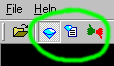
To switch between different presentations modes click appropriate button on the toolbar.
|
|













