|
DiamCalc is a system for cut gemstones modeling, which enables many different users to achieve their goals. The real (photorealistic) image of a polished diamond created by the system makes it possible to determine the cut properties that often cannot be measured and to find the optimal combination of cut parameters that would provide the best perception, brilliance, fire, scintillation and others of the stone.
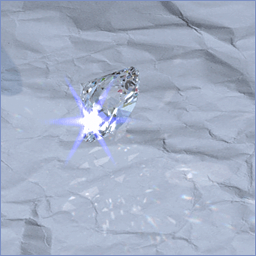
Photographs do not adequately show the sparkle and brightness of a real diamond; until now. DiamCalc since version 3 has High Dynamic Range (HDR) imaging that shows the intense sparkles on your computer screen by reproducing the flares or bloom that we see in real diamonds. Bright sparkles often appear to be larger than the facet they emanate from, even extending outside the edge of the diamond.
Scintillation is the last great frontier of diamond cut studies. Regular ray tracing software and lab grading systems have failed to model scintillation and capture this bloom factor.
Now buyers and sellers can realistically show a client, or visualize a distant diamond themselves before buying it. They can see just how it will look as they rock it from side to side in their own environment and even make promotional videos for individual diamonds.
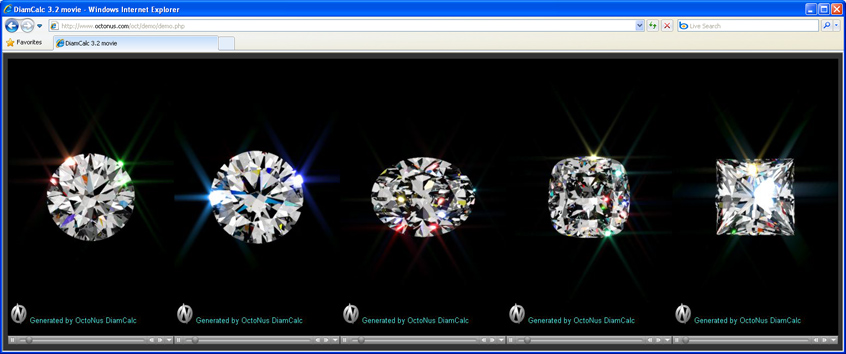
 Play 5 full size DiamCalc 3.2 Demo movies in one window (total size 1500x516 px) Play 5 full size DiamCalc 3.2 Demo movies in one window (total size 1500x516 px)
Play 3 full size DiamCalc 3.2 Demo movies in one window (total size 900x516 px)
Vizit DiamCalc HDR Demo Movies page
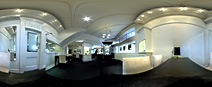
DiamCalc's High Dynamic Range lighting can come from a variety of panoramas such as a ball room, forest or hillside so anyone can see how the diamond will look in each of these environments. Jewelers of the future will no doubt import panoramic images of their own sales floor into DiamCalc.
| HDR panorama - Holloway Diamonds, Canterbury - halogens, metal halide and daylight |
 |
|
The result of new technologies is the highly photorealistic images reflecting both non-trivial optical properties of gemstones and compound features of the environment.
The Diamond Calculator is designed for jewelers, diamond graders, and sale specialists dealing with diamonds and diamond jewelry, for companies active in designing special cuts, manufacturers and technologists.
There are advanced professional versions of Diamond Calculator:
DiamCalc Pro and DiamCalc Color. The DiamCalc Pro is developed to help designing new cuts and optimize existing cut proportions to achieve the best cut qualities. DiamCalc Pro software aids quantitative and qualitative cut performance assessment by outputting into simple text reports that are powerful when made into graphical charts, and images presented in 2D html tables with selected proportion ranges.
DiamCalc Color is an exclusive advanced professional version of DiamCalc software. This software is restricted in its availability on personal request. It is developed especially to optimize the proportions for cutting the best possible fancy color.
Press Release. DiamCalc 3.0 and DiamCalc 3.0 Pro launched by OctoNus
What is new in the DiamCalc? April 13, 2017 - DiamCalc 3.3.53 build 724 is released.
Download DiamCalc
Announcements
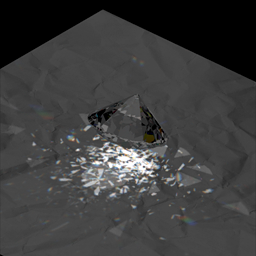
Coustics will be available in the next versions of DiamCalc.
| Coustics. Light source is under horizontal plane. It shines through the paper |
Coustics. Light source is low over horizontal plane |
 |
 |
Main features of DiamCalc
- Precise calculation of a stone weight by taking into account all main parameters, such as diameter, total depth, girdle thickness, pavilion depth, crown angle etc.
- Generating 3D images and movies of polished diamonds:
- High Dynamic Range photorealistic images and movies. Light absorption, repeated reflections, dispersion, variable lighting, High Dynamic Range panoramas, real observers and many others are used in images rendering.
- Outline framework models and refraction models, which show refractions of back facets seen through front facets
- Stereo mode - three-dimensional images of diamond that can be seen with a pair of stereo glasses
- Stars and bloom effects
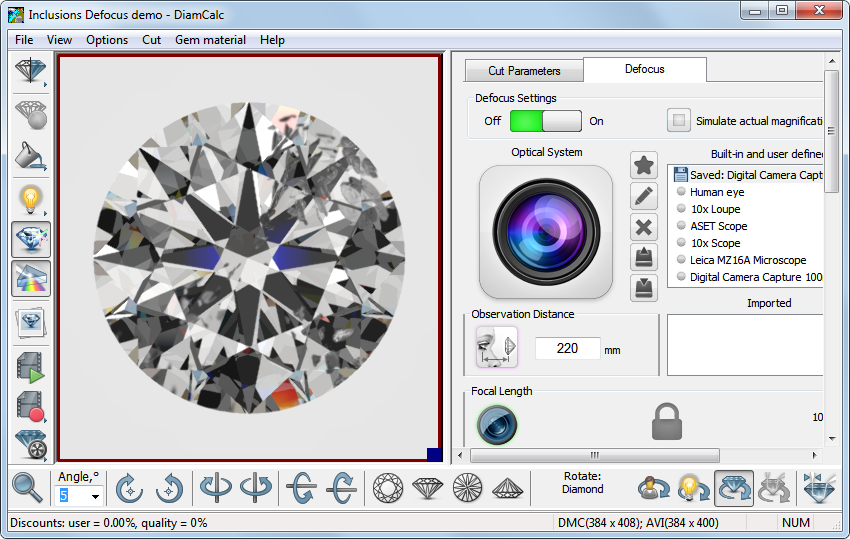
- Inclusions rendering
- Inclusions Defocus (DiamCalc Pro only)
- Non convex cut renderings
- ETAS and DETAS images, statistics diagrams
- QuickTime movies and export it for ipod / iphone
- Possibility to work with the main diamond cut styles: Brilliant,
Oval, Marquise, Pear, Princess, Baguette, Happy-8, Emerald, Flanders, Heart, Radiant etc.
- Loding external dll cuts, scanned mmd and srn cuts, asc, etc.
- Creating new variable 3d models of diamonds by Cut Designer
- Determination of fixed or variable parameters
- Determination of parameter combinations for diamond grading, including GIA, HRD,
AGA and Russian TU systems. Evaluation of the defects deteriorating the diamond perception
- Spectrum import and baseline correction by photos
- Control of report templates
- HTML photorealistic (jeweler) report
- Comparative report (DiamCalc Pro only)
- Price lists. Prices calculation based on color, clarity and fluorescence.
Documentation
What is new in the DiamCalc 3.2 beta?
DiamCalc 3.2 beta Documentation (PDF)
DiamCalc 3.0 Documentation (PDF)
DiamCalc FAQ
Video tutorial
Tutorial - Using DiamCalc & GEM Adviser on http://ideal-scope.com
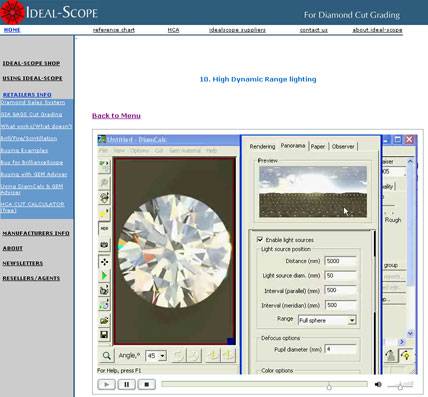
Video Chapters:
- Turning on the lights
- Opening emailed DiamCalc and gem Adviser files
- Saving image and Gem Adviser to email client
- Changing preset diamond shapes
- Cut Quality and Appraiser
- Scanned reports and advanced facet edits
- Making movies for emailing, websites and youTube
- Inhouse grading report
- Split screen viewing and ray tracing
- High Dynamic Range lighting
- Converting to Gem files
- Using GemAdviser
Quick guide on Key operations (How to..)
Help
DiamCalc cut parameters
Cut
Quality Estimation
- Estimating the mass of the stone and calculating cut parameters
- Support for different cuts and a large set of parameters
- Support
of external cut designs and diamond 3D-models- GemCad, AutoCAD and Sarin files
import (registered version only)
- Working with different types of gemstones
- Finding unknown parameters (mounted diamonds, estimating proportions of diamonds before they are cut) and parameter fixing
- Selecting measurement units and parameters to show
- Appraising cut quality (GIA, HRD, AGA, Russian TU systems) and estimating the price of the diamond
- Different visual presentations of diamond, fine-tuning images to produce realistic view of a diamond
- Detailed description of DiamCalc appraisers
- Appraiser file format
- OctBrill.txt file format
- Price list file format
Tutorial: How to Create High dynamic range (HDR) panorama
Diamond 3DBook - interactive diamond traning course
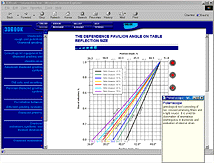 Diamond 3DBook is a computer tutorial
that involves extensive information on working with diamonds: from
the physical background determining the unique properties of these
stones to the modern worldwide system of diamond trade. Diamond 3DBook is a computer tutorial
that involves extensive information on working with diamonds: from
the physical background determining the unique properties of these
stones to the modern worldwide system of diamond trade.
3DBook is designed for training diamond specialists and raising the level of
their skills. The capability of interactive diamond modeling and the
availability of extensive reference data make Diamond 3D Book a useful
tool in everyday work of gemologists, appraisers, Certification Centers,
gemstone cutters, gemological labs and institutes, manufacturers and
sellers of diamonds and jewelry made of these.
Buy
Online store
Cuts gallery
Related products and Process Flow
| Steps / Process |
Old process Without Immersion Glass |
Modern process
With Immersion Glass |
| Scan / Estimate rough during purchase |
Helium Tender
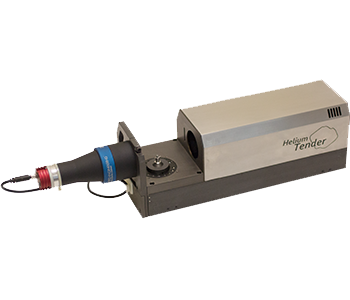
Scanning or Preliminary scanning of 3D Model of rough |
| Scanning of rough |
Helium Rough
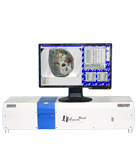
Scanning 3D Model of rough |
| Software for working with Helium Rough and Helium Tender scanners |
Helium Rough Software download |
| Immersion Glass Molding |
Not available |
Immersion Glass
In this technology, Immersion Glass material is used. Immersion Glass is the material having nearly same Refractive Index value as Diamond and is solid at Room temperature and melts to liquid at
around 100°C. We can heat Immersion Glass and Diamond in cubical mold so glass and diamond will become a single entity and reflections of inclusions will be removed. Due to absence of reflections, plotting on M-Box is more precise, very easy and can be done by even non-experienced operator. |
| Immersion Glass cubical mold Scanning |
Not available |
Helium Rough
Scanning 3D Model of Immersion Glass cubical mold with rough inside
|
| Plotting of Inclusions |
Making set of photos on Helium Rough scanner. Then inclusion including VS to I can be plotted manually on M-Box/Helium Rough photos. |
Helium IG (HIG)
Completely Automatic Plotting System for Inclusions VS2-I3
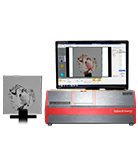
HIG uses 3D model obtained on Helium Rough.
HIG makes set of photos with very high depth of sharpness for better viewing of inclusion. |
| Software for working with HIG scanner |
- |
Oxygen HIG Software |
| Further plotting of Inclusions on M-Boxes |
M-Box or M-Box 1.5
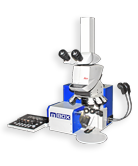
M-Box - 5 Axis-Microscopic inclusion mapping system for Helium Rough
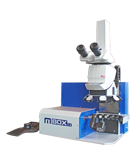
M-Box 1.5 - 6 Axis Motorised M-Box with Stereo Viewing through Oculars |
M-Box 2.0
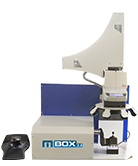 M-Box2.0 - 6 Axes - Completely Motorized Microscopic - 3D Automatic Inclusion Plotting System
|
| Software for working with M-Boxes |
Oxygen Immersion
Oxygen Microscope Server |
| Software for working with projects from M-Boxes |
Oxygen Inclusion |
| Software for allocation and planning |
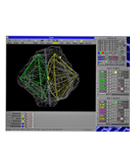 |
Pacor Client - Detecting the most profitable option of rough marking. |
 |
Oxygen D-Z - D to Z color estimation: Enhancing value while planning/optimizing. |
|
| Scanning and grading diamonds |
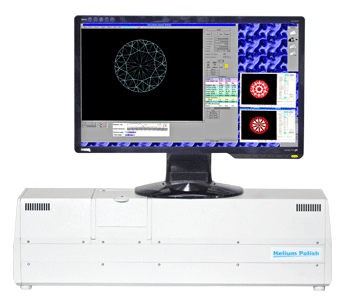 |
Helium Polish - Scanning 3D Model of diamond. Creating detailed reports. |
|
| Rapid making high quality photos and videos of polished diamonds |
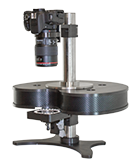 |
DiBox - Rapid Photography System captures images of polished diamonds under various structured lighting environment and make it ready for Printing or web publishing. |
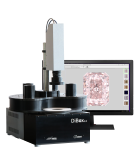 |
DiBox 2.0 - Rapid Photography System captures images and movies of polished diamonds under various structured lighting environment and make it ready for Printing or web publishing. |
|
| Making 3D video and photo of diamonds |
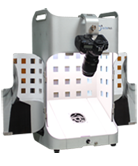 |
ViBox - The Video Box allows the manufacturer to prepare images and movies 3D for the diamond and diamond jewelry. |
|
| Visualizing of 3D models of polished diamonds and other gemstones, grading and making reports |
|
DiamCalc - For jewelers,diamonds graders,sale specialists dealing with diamonds and diamond jewelry, manufacturers,technologists |
|
| Free software for visualizing of 3d models of diamonds, exploring solutions, for 3d video of diamonds and jewelry |
GemAdviser Free Version Oxygen Viewer Free Version Stereo Viewer Free Version |
|