|
Applicable to any cuts
The definition has been updated. Follow the link for more details.
The pavilion depth is measured using main
pavilion facets. It is measure for each main facet and then
the average, minimum, maximum and deviation values are calculated.
The software finds the lowest vertex of the whole model (it
is one of the vertices of the culet or pavilion) and the highest vertex of each main facet.
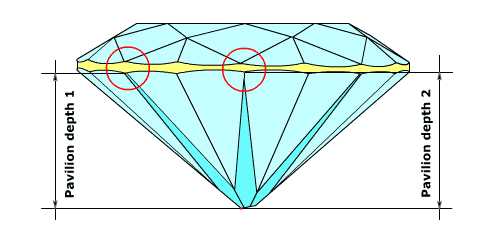
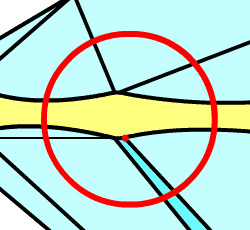
Pavilion depth 1. If the main facet reaches the girdle in its highest vertex, the height
between the found vertices is considered to be the height of the pavilion for the given main facet, as shown on
the figure below.
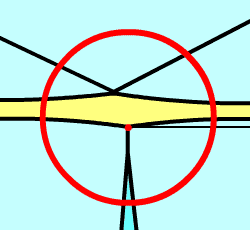
Pavilion depth 2. If the main facet
does not meet the girdle, the corresponding vertex is
substituted by the edge of the girdle measured at the
azimuth of the highest vertex of the main facet, as
shown on the figure below.
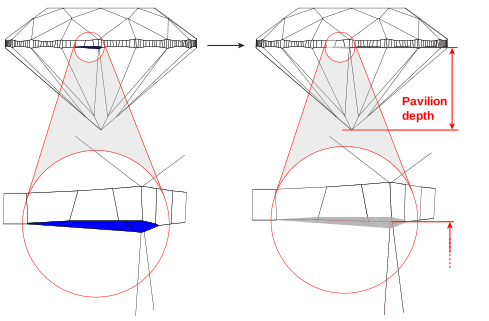
If there are extra facets on the girdle, a virtual model without these
facets is created and used for the measurement. To build the virtual model, the extra facets
are removed and the neighboring facets are continued until they intersect.
Comprehensive list of the Helium report parameters:
Measurements are used in different systems and tools:
|














