|
Helium Rough and Pacor software allows creating and printing reports for every solution and also for every polished diamond in solution separately.
The reports are created based on templates in MS Word rich-text format (RTF). Also report data can be exported to external files for processing by third-party software.
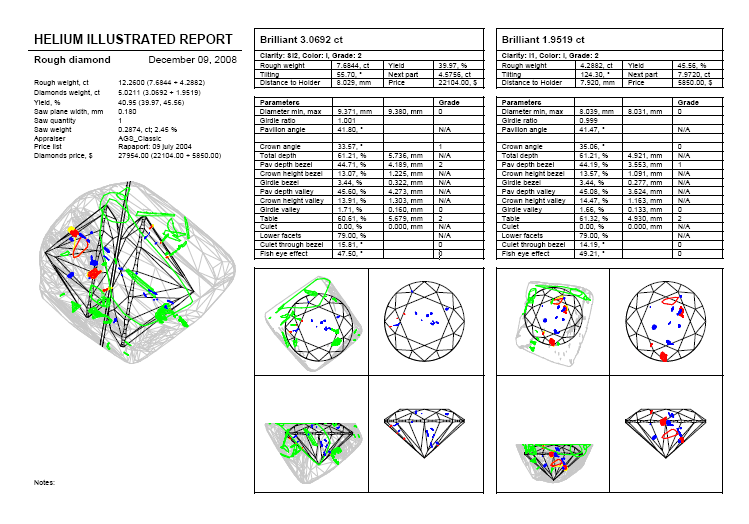
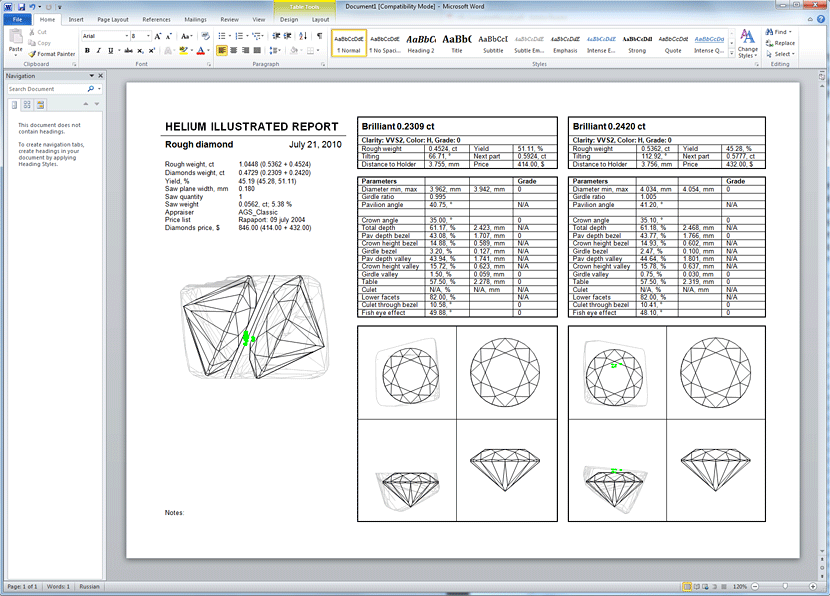
The example of rough report:
To create rough report:
1. Selected a solution you need to create report in the list of solutions in the panel Marking out / tab Marking:
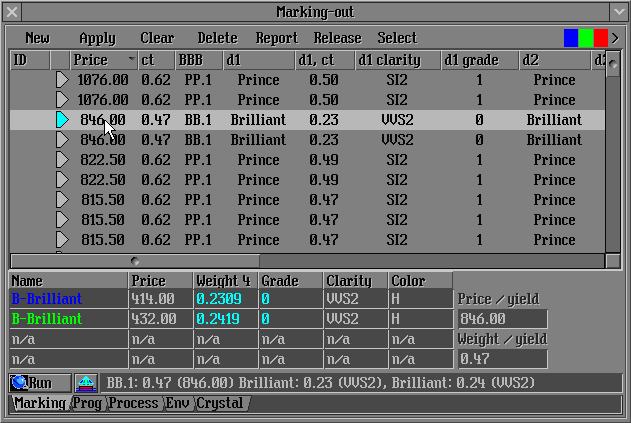
2. Press button 
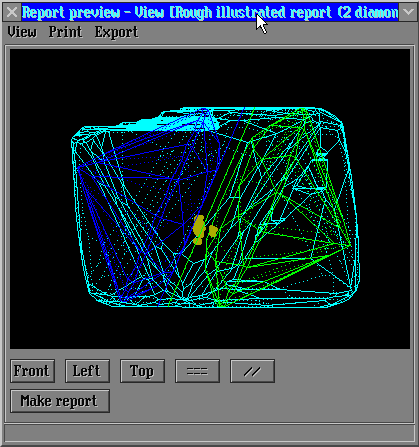
3. Report preview window opens
4.All available reports for rough diamonds are listed in the View, Print and Export menus of the Report preview window:
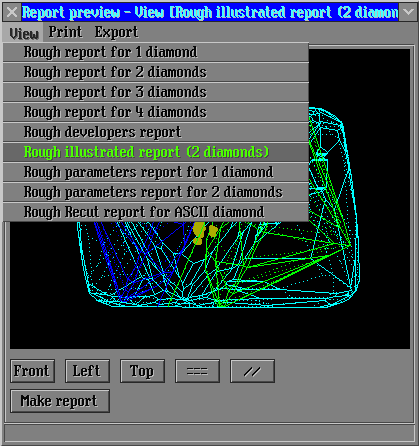
The content of these menus is updated dynamically. It depends on available report templates.
Several report templates in RTF format are included with the installation kit of the Helium software. Files related to the report creation are placed in the Report subfolder of the folder where the Helium software was installed. Helium users may take these templates and customize them for their needs or create new templates.
You can download Helium Rough reports templates from download page.
5. Select the report you need to view or print and press button 
6. The new report opens in Microsoft word
Attention! The Microsoft office software is required for creating this type of reports.
7. Please see example of new created MS Word report:
8. Inclusions in the reports are colored in different colors. Read detailed descriptions here.
9. To create and customize your own reports read the follow sections:
Customizing printing and viewing reports
Customizing export data
Customizing MS Word report templates
|
















