|
Helium Polish creates reports for round brilliant cut, marquise,
oval, pear and princess types of cutting and reports for semipolished
diamond and for arbitrary cuts. Software allow creating reports
based on templates in the MS Word rich-text format (RTF), HTML reports,
Text reports and export report data to external files for processing
by third-party software.
See example of report for real diamond witch model was built by Helium system:
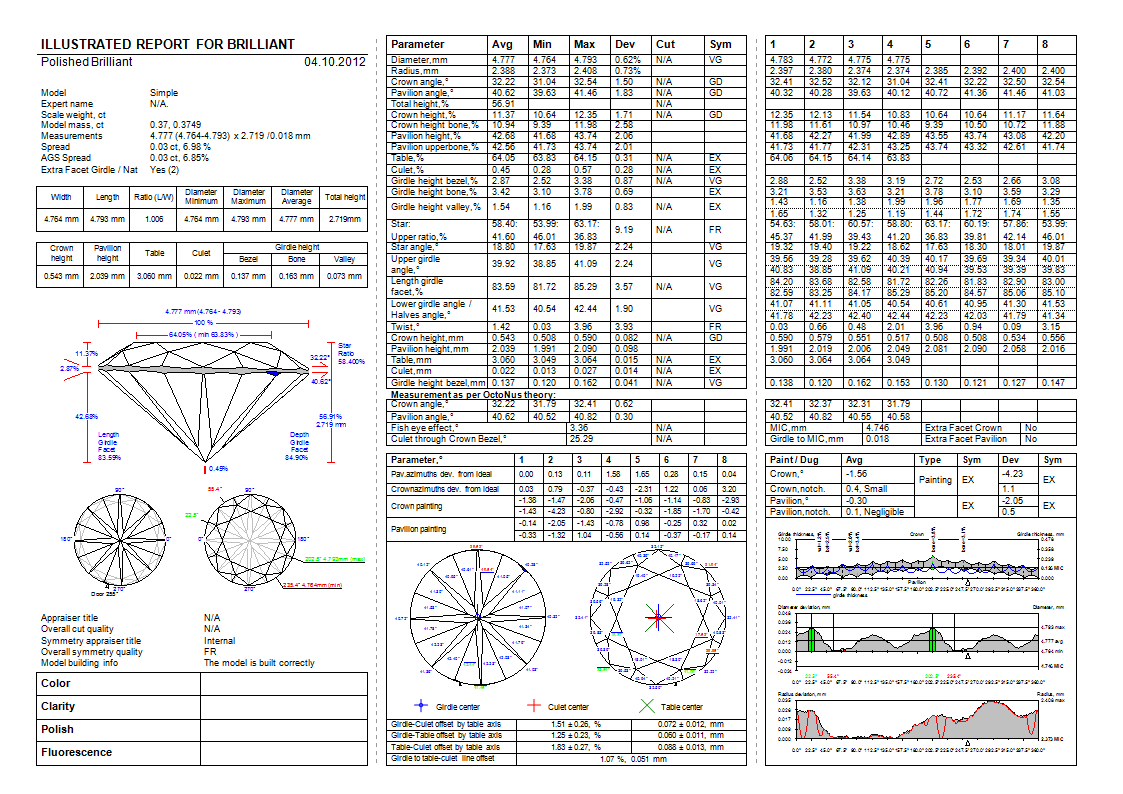
 Illustrated_report_for_brilliant.pdf Illustrated_report_for_brilliant.pdf
More examples of MS Word reports:
Helium Polish Illustrated reports (one page reports)
Examples of HTML reports:
All available reports for polished diamonds are listed in the submenus
of menu Report in the panel Scan polished diamond.
Menu Report
contains the following submenus:
- Print Report
- Open Report in MS Word
- Export Report Data
- Formatted text report
- HTML report
- Export model
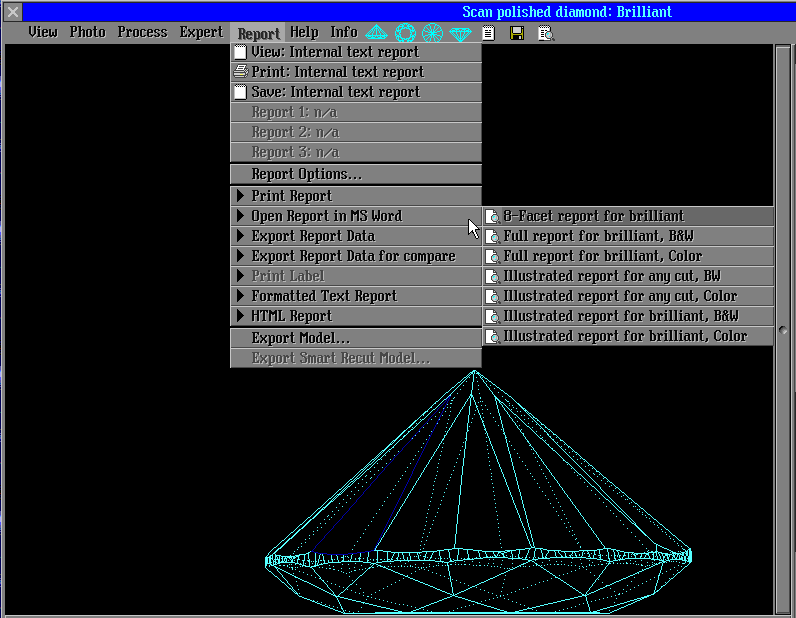
The content of submenus with lists of reports is updated dynamically. It depends on available report templates and the current choose by user or automatically by program cutting of the built model.
Create and customize Helium report templates
Several report templates in RTF, HTML and Internal Text format
are included with the installation kit of the Helium software. Files
related to the report creation are placed in the "Report" subfolder
of the folder where the Helium software was installed. Helium users
may take these templates and customize them for their needs or create
new templates.
Customize
MS Word report templates
Customizing internal text report template
Download
You can download Helium templates of reports from download page.
|
















